
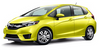
Honda Fit: Audio System Theft Protection
Honda Fit Owners Manual
The audio system is disabled when it is disconnected from the power source, such as when the battery is disconnected or goes dead.
■ Entering the Audio Security Code
ENTER CODE appears on the display when the power is reconnected.
1. Turn on the audio system.
2. Enter the security code using the preset buttons.
Models with navigation system
Touch the icon to enter the code, then touch the Done icon to set it.
If you enter an incorrect digit, continue to the last digit, then try again. If you do not enter the code correctly after 10 tries, leave the system for one hour before trying again, or visit a dealer to have the system reset.
Find the audio system’s security code and serial number in your owner’s manual kit.
We recommend that you write down the serial number in this owner’s manual.
Do not store the label in your vehicle. If you lose the label, you must first retrieve the serial number, and then obtain the code.
You can find out about your serial number and security code from a dealer.
U.S. models
You can register the security code at Owner Link (owners.honda.com), and find information on how to retrieve the serial number and obtain the code at radio-navicode.honda.com.


Other info:
Ford Fiesta. Steering Wheel
Adjusting the Steering Wheel
WARNING
Do not adjust the steering wheel
when your vehicle is moving.
Note: Make sure that you are sitting in the
correct position. See Sitting in the Correct
Position.
...
Citroen C3. Towing the vehicle
Procedure for having your vehicle towed
or for towing another vehicle using a removable
towing eye.
Access to the tools
The towing eye is installed in the boot
under the fl oor.
To gain acc ...
Honda Fit. Playing a CD
Your audio system supports audio CDs, CD-Rs, and CD-RWs in either MP3 or WMA
format. With the CD loaded, press the CD button.
■How to Select a File from a Folder with the Selector Knob
(MP3 ...
Manuals For Car Models
-
 Chevrolet Sonic
 -
 Citroen C3
 -
 Fiat Punto
 -
 Honda Fit
 -
 Mazda 2
 -
 Nissan Micra
 -
 Peugeot 208
 -
 Renault Clio
 -
 Seat Ibiza
 -
 Skoda Fabia
 - Honda Pilot
- Volkswagen ID4
- Toyota Prius
