
Fiat Punto: Digital display
Fiat Punto Owners Manual
DISPLAY INFO
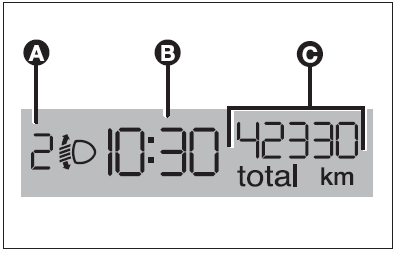
- Headlight aiming position display (only with dipped beams on) (A)
- Clock (B) (always displayed, also with key removed and front doors closed).
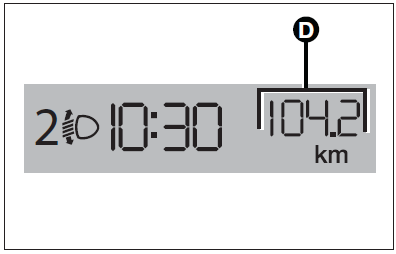
- Total (C) and partial (D) odometer.
With ignition key removed, when opening one of the front doors the display comes on showing the clock and the odometer indication.
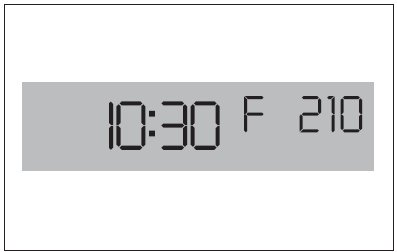
If the “Follow me home” function is on (see paragraph “Follow me home” in this section), the display will show the time the function is on instead of the mileage recorder indication (see figure).
Warning light check function
The instrument panel performs a check on the following warning lights:
- handbrake on/low brake fluid level;
- ABS and EBD system;
- ESP system on/failure;
- “Dualdrive” (where provided) electric power steering failure.
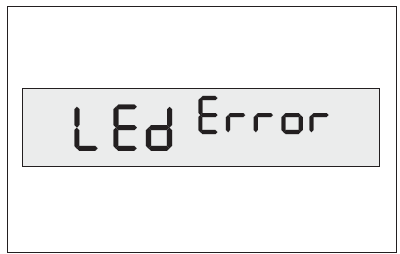
Warning light check is performed automatically when turning the ignition key to MAR and during normal operation if a failure is detected.
When the initial check is over, the message LEd Error will flash on the display for about 10 seconds to warn the driver that a failure has been detected (on one or more warning lights).
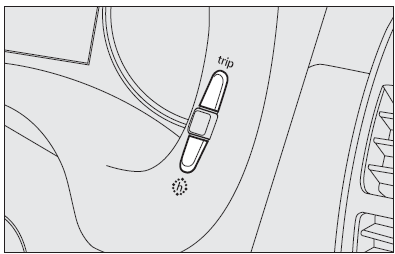
SET CLOCK
Press button h. Each pulse on the button will obtain increase by one unit.
Automatic fast increase is obtained by keeping the button pressed for few seconds. When you are near the required value, release the button and complete adjustment with single presses.


Other info:
Chevrolet Sonic. Lane Departure Warning (LDW)
For vehicles with this feature, read the entire section before using it.
Warning
The LDW system is an aid to help the vehicle stay in the driving lane. It
does not steer the vehicle. The LDW syste ...
Mazda 2. Push-Starting
Do not push-start your Mazda.
WARNING
Never tow a vehicle to start it:
Towing a vehicle to start it is
dangerous. The vehicle being towed
could surge forward when its engine
starts, causing the ...
Nissan Micra. FM radio reception
Range: FM range is normally limited to 40 –
48 km (25 – 30 mi) with monaural (single channel)
FM having slightly more range than stereo
FM. External influences may sometimes interfere
with FM ...
Manuals For Car Models
-
 Chevrolet Sonic
 -
 Citroen C3
 -
 Fiat Punto
 -
 Honda Fit
 -
 Mazda 2
 -
 Nissan Micra
 -
 Peugeot 208
 -
 Renault Clio
 -
 Seat Ibiza
 -
 Skoda Fabia
 - Honda Pilot
- Volkswagen ID4
- Toyota Prius
