Nissan Micra: Checking lights
Nissan Micra Owners Manual
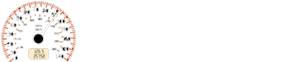
With all doors closed, apply the parking brake, fasten the seat belts and place the ignition switch in the ON position without starting the engine.
The following lights (if so equipped) will come on:
 ,
,
 ,
,
,  ,
,
The following lights (if so equipped) come on briefly and then go off:
 ,
,
If any light fails to come on or operate in a way other than described, it may indicate a burnedout bulb and/or a system malfunction. Have the system checked by a NISSAN dealer.
Some indicators and warnings are also displayed in the trip computer located to the right of the speedometer. For additional information, refer to “Meters and gauges” in this section.


Other info:
Peugeot 208. Failure of the remote control
To deactivate the monitoring functions:
Unlock the vehicle using the key in the driver's door lock.
Open the door; the alarm is triggered.
Switch on the ignition; the alarm stops. The indi ...
Honda Fit. Winter Tires
If driving on snowy or frozen roads, mount all season marked “M+S” tires,
snow
tires, or tire chains; reduce speed; and maintain sufficient distance between
vehicles
when driving.
Be part ...
Peugeot 208. Oil level
The check is carried out either when the ignition is switched on using the oil
level indicator on the instrument panel, or using the dipstick.
This manual check will only be correct if the vehicl ...
Manuals For Car Models
-
 Chevrolet Sonic
 -
 Citroen C3
 -
 Fiat Punto
 -
 Honda Fit
 -
 Mazda 2
 -
 Nissan Micra
 -
 Peugeot 208
 -
 Renault Clio
 -
 Seat Ibiza
 -
 Skoda Fabia
 - Honda Pilot
- Volkswagen ID4
- Toyota Prius
