
Mazda 2: Personalisation Features
Mazda2 Owners Manual
The following personalisation features can be set or changed by an Authorised Mazda Repairer. Consult an Authorised Mazda Repairer for details.
Additionally, some of the personalisation features can be changed by the customer depending on the feature.
Personalisation features which can be changed differ depending on the market and specifi cation.
- Settings can be changed by operating the centre display screen.
- Settings can be changed by operating the vehicle switches.
- Settings can be changed by an Authorised Mazda Repairer.
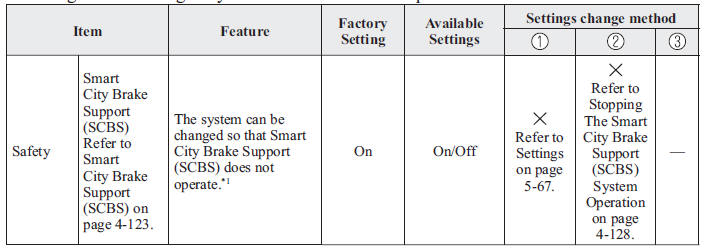
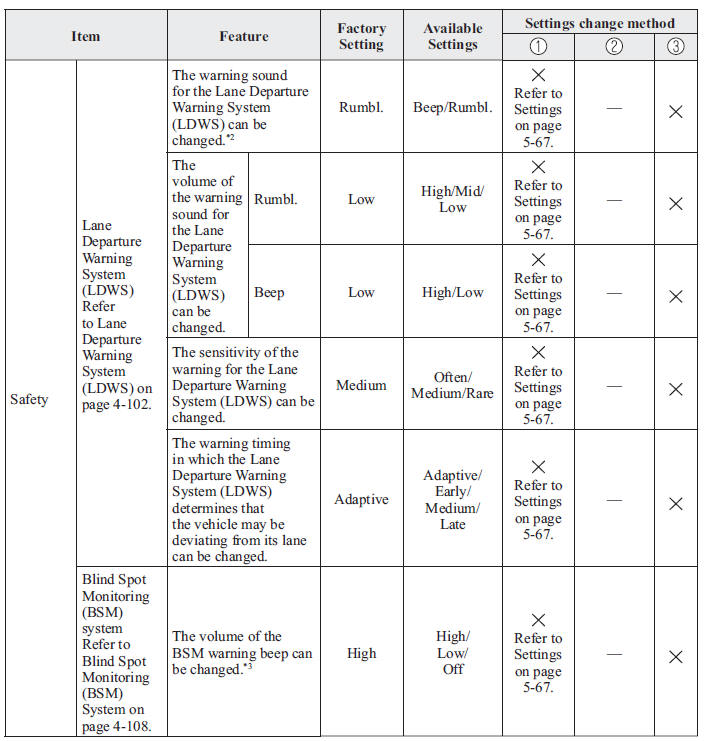
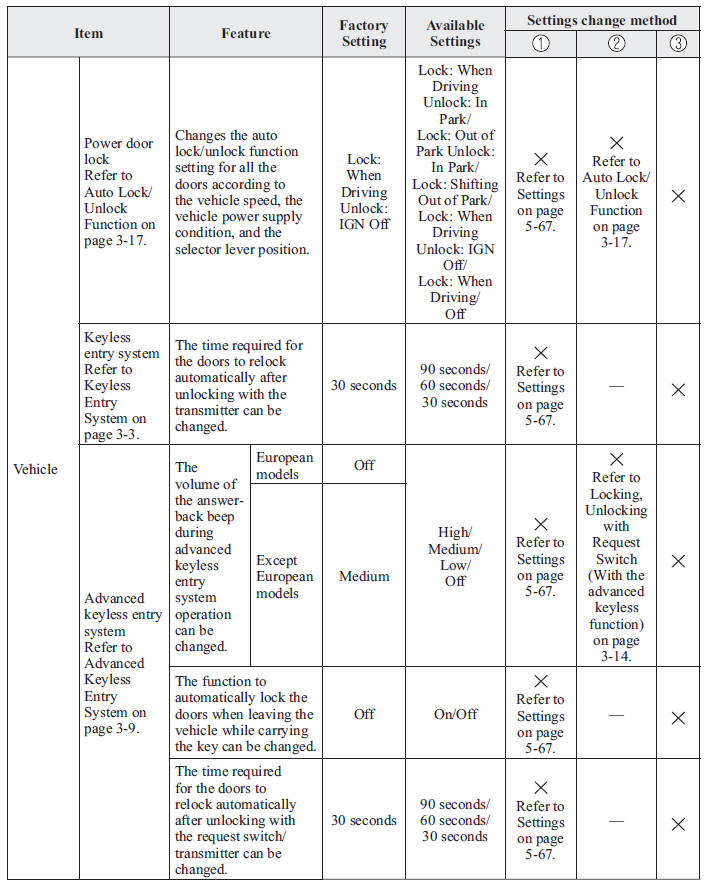
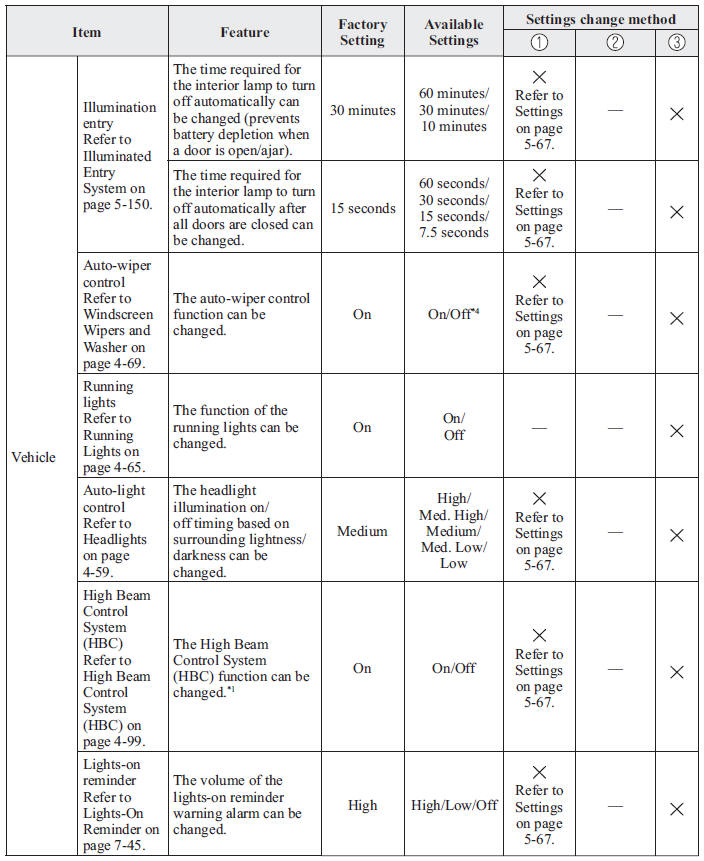
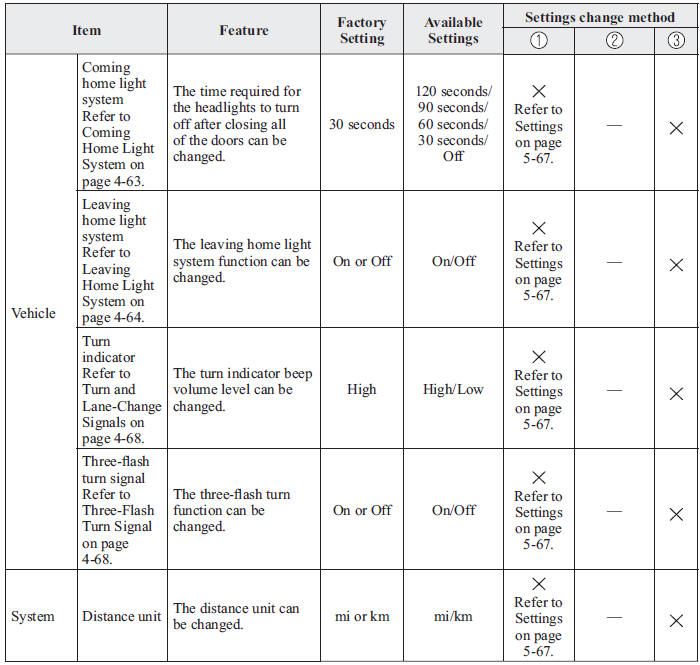
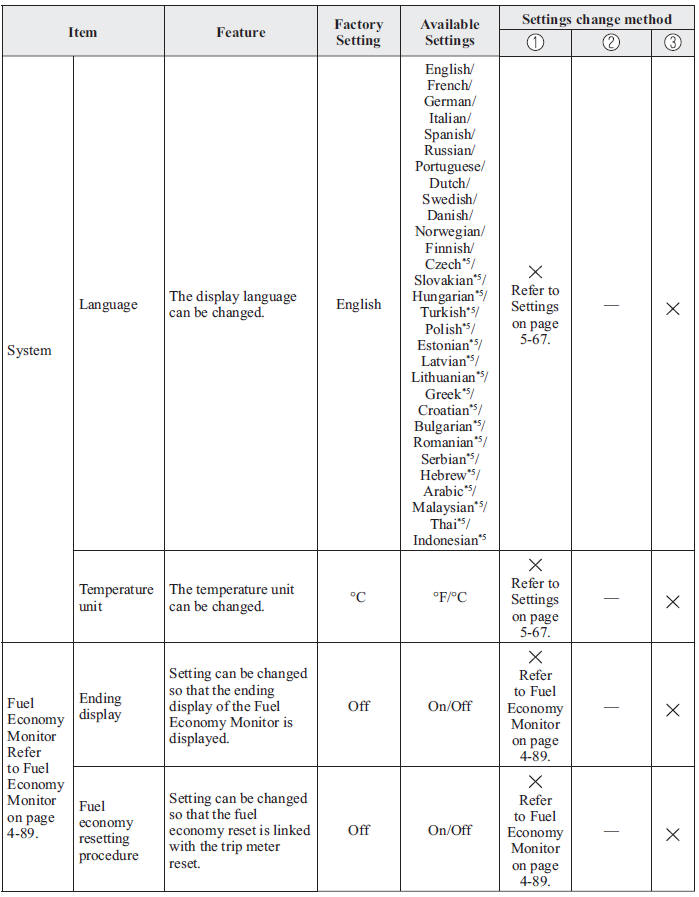
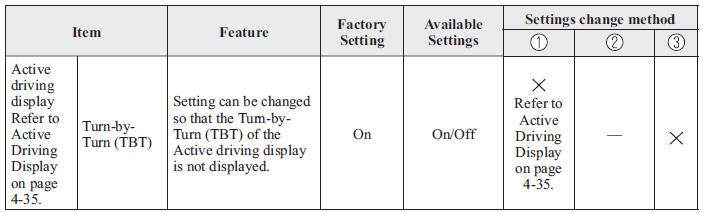
*1 Though these systems can be turned Off, doing so will defeat the purpose of the system and Mazda recommends that these systems remain On.
*2 For vehicles with an audio system other than the on-screen function type, the warning sound cannot be changed.
The warning sound is only a beep.
*3 Only the volume of the warning beep during Blind Spot Monitoring (BSM) operation can be changed. The volume of the warning beep during Rear Cross Traffi c Alert (RCTA) operation cannot be changed.
*4 If the auto-wiper control is set to Off, the wiper lever
 position is set to intermittent
operation.
*5 Available only in display from the centre display.


Other info:
Seat Ibiza. Working in the engine compartment
Safety instructions on working in the engine compartment
Any work carried out in the engine compartment or on the engine must be carried
out cautiously. Before starting any work on the engine or in ...
Nissan Micra. iPod®* player operation (if so equipped)
Connecting iPod
WARNING
Do not connect, disconnect or operate the
USB device while driving. Doing so can be
a distraction. If distracted you could lose
control of your vehicle ...
Honda Fit. Airbag System Components
The front, front side, and side curtain
airbags are deployed according to the
direction and severity of impact. The airbag
system includes:
1 Two SRS (Supplemental Restraint System)
front airba ...
Manuals For Car Models
-
 Chevrolet Sonic
 -
 Citroen C3
 -
 Fiat Punto
 -
 Honda Fit
 -
 Mazda 2
 -
 Nissan Micra
 -
 Peugeot 208
 -
 Renault Clio
 -
 Seat Ibiza
 -
 Skoda Fabia
 - Honda Pilot
- Volkswagen ID4
- Toyota Prius
