

Chevrolet Sonic: Rear Vision Camera Location
Chevrolet Sonic Owners Manual
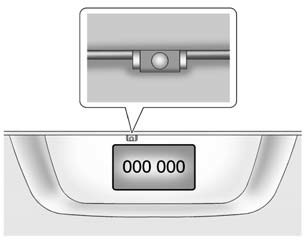
The camera is above the license plate.
The area displayed by the camera is limited. It does not display objects that are close to either corner or under the bumper and can vary depending on vehicle orientation or road conditions. Displayed images may be closer or farther than they appear.
The following illustrations show the field of view that the camera provides.
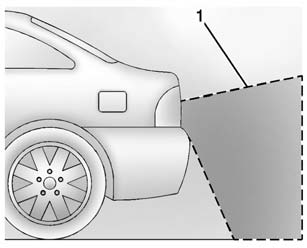
1. View displayed by the camera.
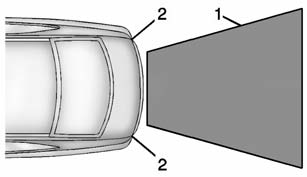
1. View displayed by the camera.
2. Corner of the rear bumper.


Other info:
Mazda 2. Windows
Power Windows
The ignition must be switched ON for the
power windows to operate.
WARNING
Make sure the opening is clear before
closing a window:
Closing a power window is dangerous.
A person' ...
Mazda 2. Liftgate/Boot Lid
WARNING
Never allow a person to ride in the
luggage compartment/boot:
Allowing a person to ride in the
luggage compartment/boot is
dangerous. The person in the luggage
compartment/boot could be ...
Chevrolet Sonic. Securing a Child Restraint Designed for the LATCH System
Warning
If a LATCH-type child restraint is not attached to anchors, the child restraint
will not be able to protect the child correctly. In a crash, the child could be
seriously injured or killed ...
Manuals For Car Models
-
 Chevrolet Sonic
 -
 Citroen C3
 -
 Fiat Punto
 -
 Honda Fit
 -
 Mazda 2
 -
 Nissan Micra
 -
 Peugeot 208
 -
 Renault Clio
 -
 Seat Ibiza
 -
 Skoda Fabia
 - Honda Pilot
- Volkswagen ID4
- Toyota Prius
